

What causes the mobile phone to heat up when it is wirelessly charged? How to solve it?
Feb 06,2025 | Threekey_global
With the development of technology, smartphones have become an indispensable part of our lives. However, in the process of using smartphones, we may encounter a headache: the phone heats up when it is wirelessly charged. This article will analyze the reasons why the phone heats up when it is wirelessly charged and provide some practical solutions.
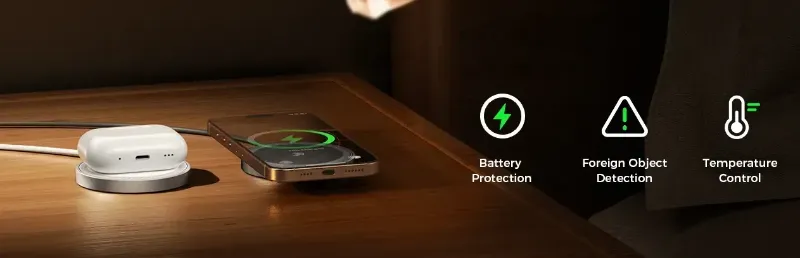
Reasons for Heat Generation during Wireless Charging
Wireless charging technology typically operates on the principle of electromagnetic induction, transmitting electrical energy through the interaction of magnetic fields between two coils. The heat generation issue mainly stems from several aspects:
Solutions to Reduce Heat Generation
1. Choose Efficient Wireless Chargers Opt for wireless chargers that boast high energy conversion efficiency. Look for models with certifications like Qi, which ensure compliance with industry standards for performance and safety. Higher efficiency means less wasted energy and less heat.
2. Minimize Electromagnetic Interference Place your phone on the wireless charger without any obstructions or metallic objects nearby. Ensure the charging pad and phone are aligned properly to minimize EMI. Additionally, using cases made from non-metallic materials can help reduce interference.
3. Opt for Better Design and Materials Select phones and chargers designed with advanced thermal management systems. Look for devices with superior heat-dissipating materials like aluminum or copper. These materials conduct heat away from critical components more effectively, keeping your phone cooler.
4. Manage Charging Power Use standard wireless chargers for everyday use and reserve high-power chargers for times when you need a quick top-up. Consider enabling "cool mode" or similar features on your phone if available, which limit the charging speed to reduce heat generation.
5. Monitor Temperature Keep an eye on your phone’s temperature using built-in apps or third-party tools. If your phone becomes too hot, stop charging immediately and let it cool down. Avoid placing your phone under direct sunlight or in hot environments while charging.
Wireless charging heat is a common issue. By choosing the right charger, replacing the battery, using high-quality charging cables, and avoiding charging in high-temperature environments, we can effectively reduce phone overheating, protect the battery, and extend the phone’s lifespan.
Comment